This report gives you the detailed SKU stock allocation and respective order report.
This is month wise report, and will be generated for the current month.
There are 2 tabs on this report.
1. Summary - Allocation Details
2. Orders - Order Details as per the allocation made
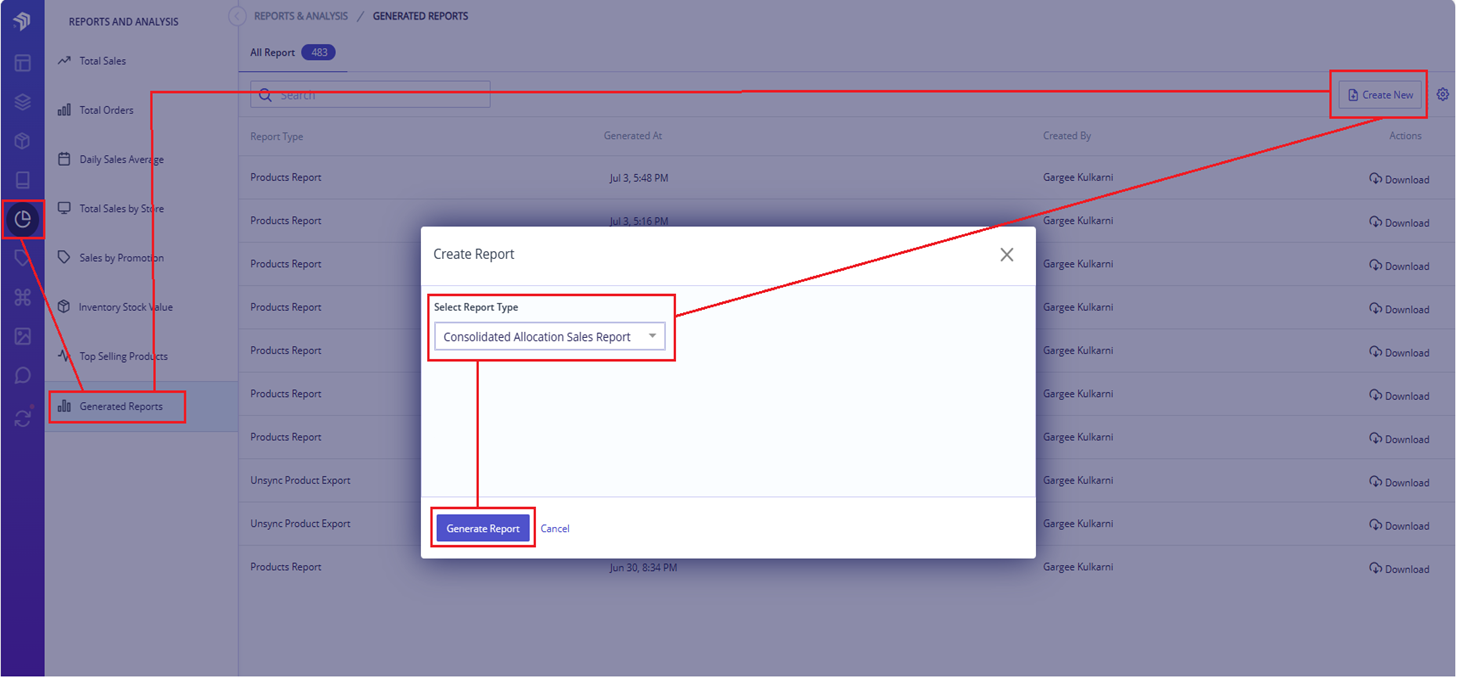
Header Details and Definitions:
Summary Tab:
| Header |
Definition |
| Allocation Id |
Unique ID under which Stock is allocated |
| Sale Period |
Duration of sale for which stock is allocated |
| Sales Channel |
Sales channel for which stock is allocated |
| Channel SKU |
CSKU product whose stock is allocated |
| Product name |
Name of the Product whose stock is allocated |
| Allocated stock (Qty) |
Quantity of the stock allocated |
| Total stock sold (Qty) |
Quantity of item sold |
| Remaining stock (Qty) |
Quantity of item left |
|
Orders Tab:
| Header |
Definition |
| Allocation ID |
Unique ID under which Stock is allocated |
| Channel SKU |
CSKU product whose stock is allocated |
| Product name |
Name of the Product whose stock is allocated |
| No. of quantity in Order |
Qunatity of the product in the particular order |
| Order id |
Order number |
| Order date |
Date on which order is created |
|
Comments
0 comments
Please sign in to leave a comment.